Know the design works before engineering builds it.
User Sage lets you test a design before you defend it. Run prototype tests on your Figma work, settle direction debates with preference tests, and let stakeholders watch real people use it in a live session or read the results for themselves in Findings.
How designers use User Sage
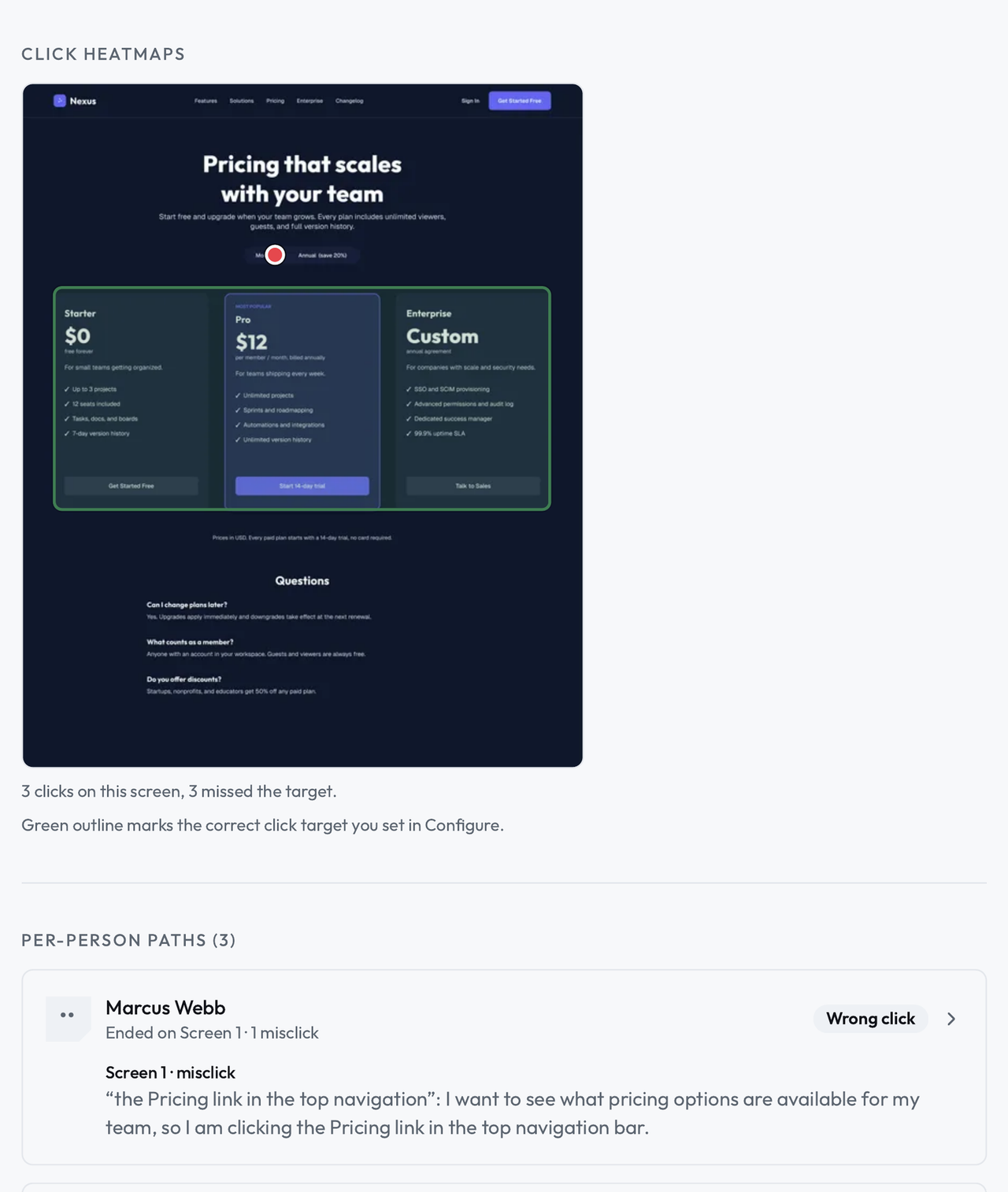
Test the flow, not the screenshot
Link your Figma prototype, or use uploaded screens or a page from your live site, then write the tasks your design is supposed to make easy, and watch where people click, stall, and give up. The results point at the screen and the click, so a fix starts from a place, not a hunch.
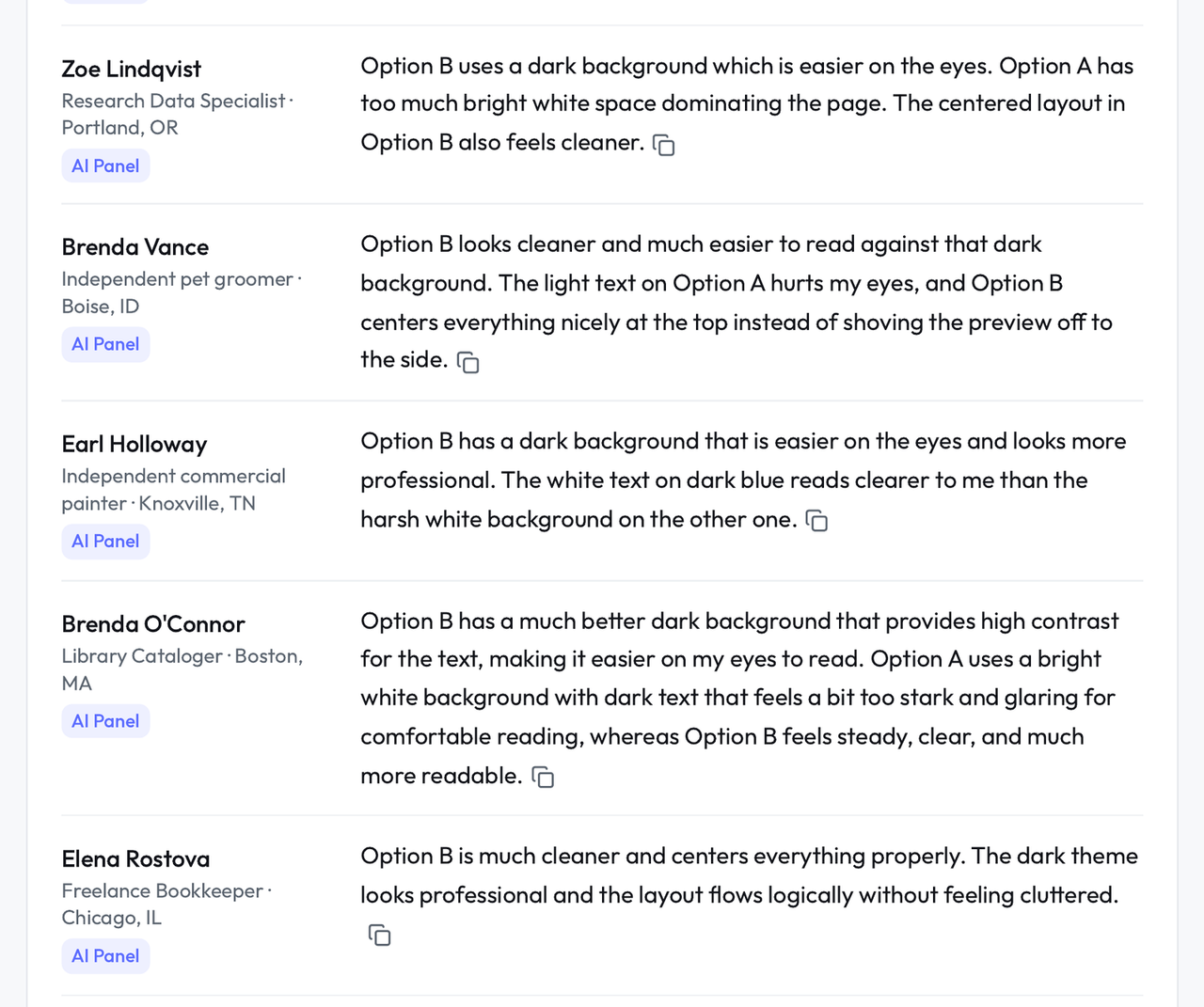
Settle the two-direction debate
When the team is split between two directions, put both in a preference test and let people pick, with their reasons attached. You show the review the split and the reasons people gave, instead of adding a third opinion.
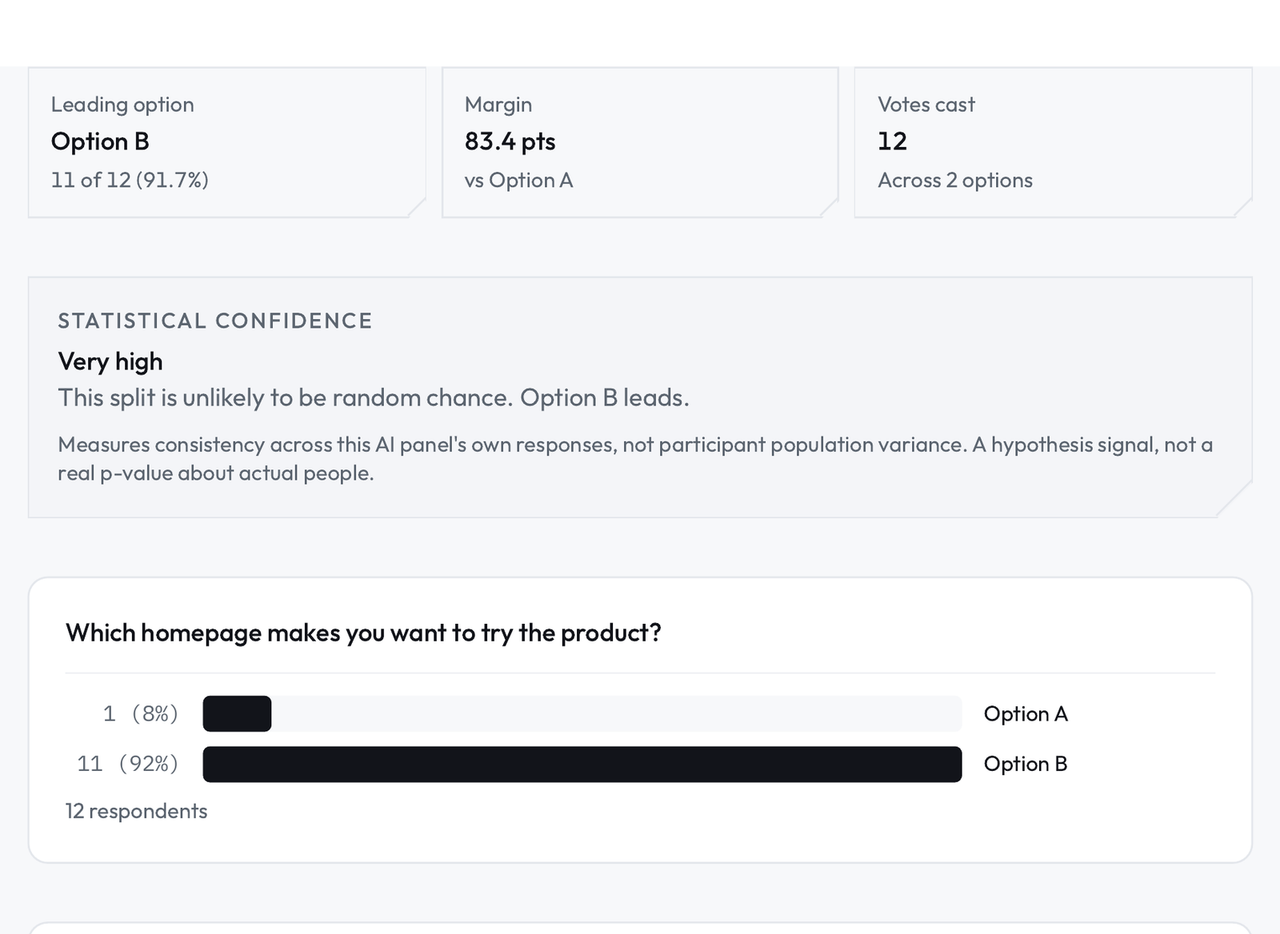
Let stakeholders see the results themselves
Share the study's Findings by link, and stakeholders read the results themselves: the counts, the click paths, and people's comments, each labeled by where it came from. When a study runs as a moderated session, they can watch from the Observation Lounge while a participant uses the design. People trust a design more after they have watched someone use it than after any presentation about it.
What you get
Click paths and completion on your own Figma frames, task by task.
Preference counts with the reasons in people's own words, for design reviews.
First-click results that show whether a screen's layout points people the right way.
Findings you can link from the design file, labeled by who produced them.
Designers are usually the first people asked to prove a design works and the last people given the time to test it.
The fast tools here, the AI Panel and the five-second and first-click tests, exist for the days when there is no time. They give you a hypothesis with names and clicks attached. The claims you make to engineering should rest on the real runs, and the product keeps the two visibly apart so you never have to blur them in a review.
Questions designers ask.
Does it work with my Figma files?
Yes. Prototype tests, first-click tests, and preference tests all run on frames you link from Figma. A prototype test can also start from screens you upload as images, or from the URL of a page on your live site. When the design changes, duplicate the study and run it again on the new frames, and the two runs sit side by side for comparison.
I do not have participants. Where do people come from?
Three places. Your own customers through Your Panel, screened participants sourced for you through the GenPop Panel, and the AI Panel's simulated people for the fast first read before either of the real panels.
How is this different from Maze or Lyssna?
The methods overlap. What is different here is that the same workspace also runs live moderated sessions, holds your panel and your past studies in Projects, and connects to the AI tools you already use over MCP, so a design question that starts as a test can end as a conversation with a user without changing tools.