Test a prototype, click by click.
Start with a Figma prototype, with screens you upload as images, or with the URL of a page on your live site. Give people tasks to complete, and User Sage follows every click: the first click, the wrong turns, and the moment each person stalls.
How a prototype test works
Connect the design and write the tasks
Connect the Figma file, upload the screens as images, or paste the URL of the live page. Set the starting screen for each task, and write the task the way you would say it to someone in the room: you want to invite a teammate, you are looking for last month's invoice. The Figma prototype's own links carry people from screen to screen. On uploaded screens, you draw the hotspots yourself and choose where each one leads.
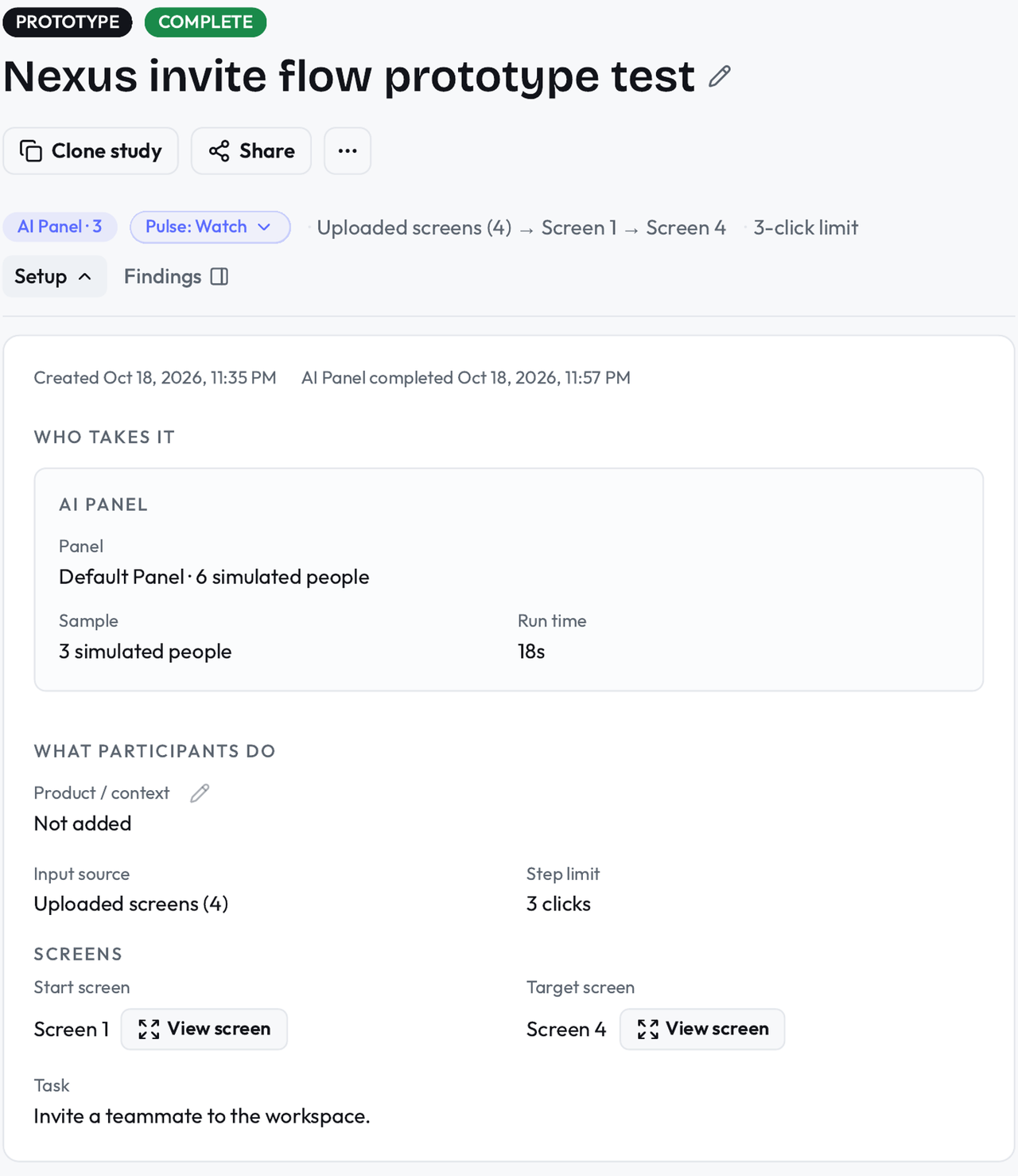
Mark the path you expect
For each task, click through the route a person should take to finish it. The test compares every participant's clicks against that route, so you can see the exact click where people leave it.
Watch where people stall
The results show the first click for every task, the paths people actually took, and the screens where they stopped making progress. Comments from participants sit next to the clicks they describe.
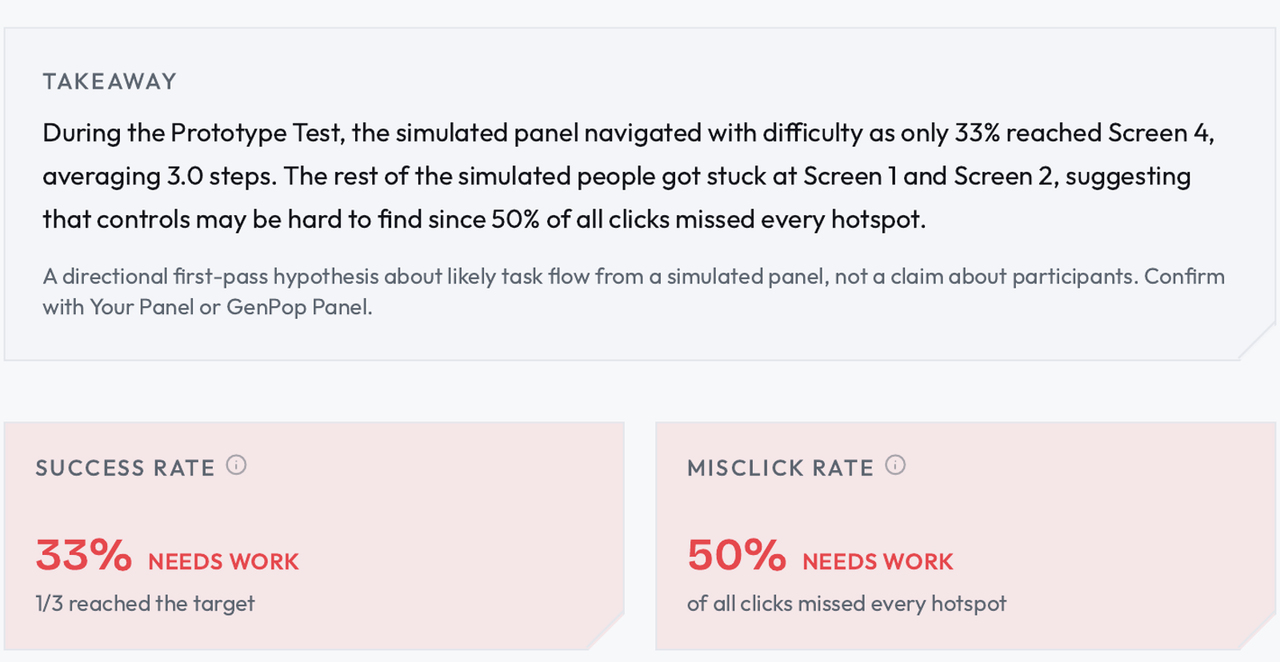
What you get
The first click on every task, and whether it started the right path.
Every participant's click path, compared with the route you marked.
The screens where people stall, with their comments attached.
Completion per task, with the simulated run and the real run kept in separate labeled results.
A prototype is not the product.
It has no real data, no slow pages, and none of the states your design did not draw, and people behave a little more bravely in something they cannot break. What a prototype test does catch is the thing design reviews argue about: whether a person meeting this design for the first time can find their way through it. The AI Panel run finds the first wrong turns. Real participants show you whether the fix works on someone who has never seen the design before.
Questions about prototype tests.
What do I need before I start?
One of three things: a Figma prototype with its flows linked, the screens saved as images, or the URL of the page you want tested. In Figma, each task starts from a frame you choose, and people move through the design by clicking the hotspots you already built. If a flow is not linked, the task cannot use it, and the test will show you that quickly. On uploaded screens, you draw the hotspots yourself, so nothing has to be linked first.
What is the difference between this and a first-click test?
A First-Click Test looks at one screen and one question: where do you click first. A Prototype Test follows the whole task across screens. Use the first-click test when the question is about one screen's layout, and the prototype test when the question is whether people can complete the job.
Can simulated people really click through a prototype?
They work through the same prototype your real participants get, choosing clicks and explaining them, and their runs produce the same kind of click paths and stalls. What they produce is a hypothesis about where people will struggle, and the real runs are how you check it.