Validate a design before you ship it.
A Prototype Test in User Sage gives people real tasks on your design, whether it comes from Figma, from screens you upload, or from a page on your live site, and records where they click, where they stop, and whether they finish. Run the AI Panel first to catch the obvious problems, then confirm the result with real participants before the design becomes code.
How validation works
Connect the design and set the tasks
Link the Figma frames people should start from, upload the screens as images if the design is not in Figma, or paste the URL of a page on your live site. Then write the tasks in plain words: find the pricing page, change your plan, check out. Each task carries the path you expect people to take, so the results can show you where they left it.
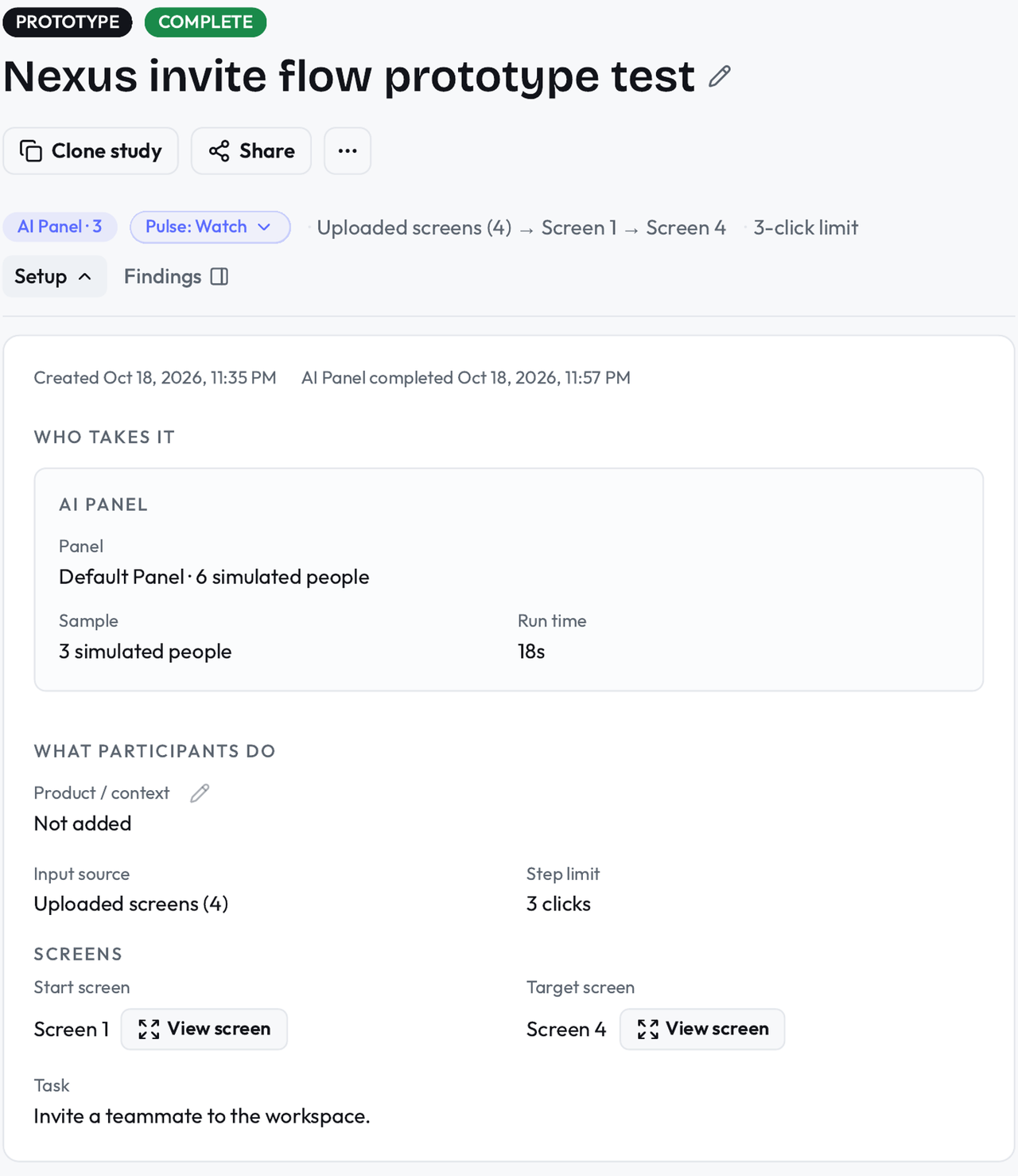
Run the AI Panel, then real participants
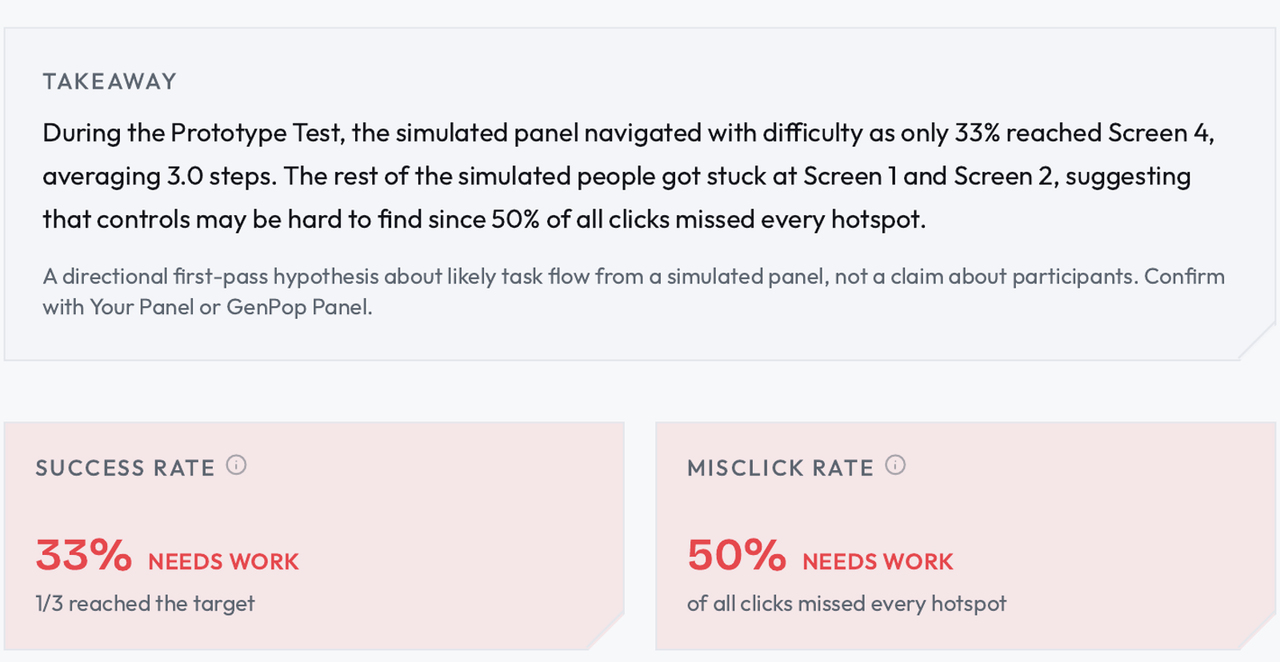
Simulated people take the tasks first and show you where they get stuck, where they click the wrong thing, and which tasks they cannot finish. Fix those, then send the same test to Your Panel or the GenPop Panel and watch real people take the same path.
See exactly where the design loses people
The results show each task's completion, the clicks people made, and the point where they gave up or took a wrong turn. Findings keeps the simulated run and the real run apart, each labeled, so you can run the test again after a fix and compare.
What you get
Task completion for every task, with the time it took.
The click path each person took, next to the path you expected.
The screen where each failed task went wrong.
Findings with the simulated run and the real run side by side, each labeled by source.
A prototype test tells you whether people can use the design in front of them and finish the tasks you set.
It cannot tell you whether they want what it does. The AI Panel run is a hypothesis about where people will struggle, and it earns its keep on the mechanical problems: the button nobody sees, the label nobody reads the way you meant it. Whether the design is worth building at all is a different question, and only real participants can answer it.
Questions about validating designs.
What can a prototype test tell me that a design review cannot?
A review tells you what your team thinks of the design. A prototype test shows you what people do with it: which button they press first, where they hesitate, and the task they cannot finish. The gap between the two is where the usability problems usually are.
Do I need a finished design?
No. The test runs on the frames you link, at whatever stage they are. Teams test early wireframes to catch structural problems and polished designs to check the details, and the same test works for both.
How many people should take it?
For finding problems, small numbers go a long way. Five to eight real participants on a design usually shows you the pattern of where people fail. Run the AI Panel first with more, fix what it finds, and save the real participants for the version that matters.